Manage Large Documentation Projects Without The Chaos
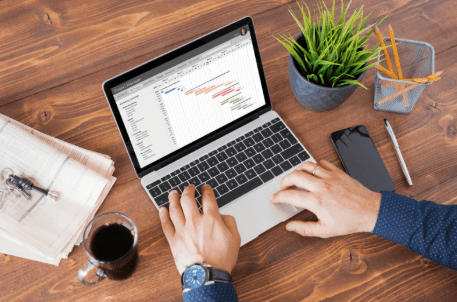
Writers and technical authors handling user manuals, guides, and related documentation often depend on basic text editors. Extensive and detailed projects often need multiple writers who are working different documents, and there could be many final versions, resulting in total confusion for the team. As a project grows from ten pages to hundreds, small tasks, like updating a single screenshot, become complicated chores. When one feature changes, every mention of it across the entire guide must be found and fixed, or the manual becomes a liability.
Having a Centralized Single Source
Thankfully, you can now try user manual software to edit everything in one source. Dr.Explain, for instance, has documentation tools for creating, which help create, user guides, instruction manuals, technical documentation, and help files. Dr.Explain also helps organize hundreds of topics & dozens of annotated images and shots. So, how does this work? here is an overview:
· One Source, Many Outputs: Instead of writing a PDF, a web guide, and a help file separately, you write the content once and let the system push it everywhere.
· Segmental Thinking: Breaking the book mentality and treating documentation as a collection of reusable modules or topics.
· Style Controls: Using a central dashboard to change a font or a brand color once and seeing it update across every single page instantly.
· Indexing: Letting the software build the index and search tags in the background so users can actually find what they need.
· Content Tables: This is about moving away from manual page numbering. The table of contents should be an active entity that rearranges itself as you move chapters around.
· Management: The system can ensure that a link to “Section 4.2” doesn’t break just because you added a new chapter earlier in the book.
See also: Why Handyman Software Is Helpful For Business Management?
Handling Your Visuals
Proper tools also help you manage the screenshots and images that your readers rely on.
· Central Storage: Keep all your shots and captures in one spot so you aren’t searching endless folders to find a specific picture for a step.
· Easy Layouts: Make sure every image sticks to one style of placement for the whole guide without having to fix them one by one.
Comparing Manual Work and Tools
When it comes to updates, writing manually means searching for every mention of an old feature and hoping you didn’t miss one. If you use the right tool, you just need to change the master topic, and every instance of that instruction is refreshed across all formats. When many writers are working on the same project, there is a risk of overwriting each other’s work or use different terminology. A tool can ensure the style guide remains in action and keeps a clear history of who changed what and when. Formatting the final document for print or web takes days of fixing margins and broken images, but software tools allow you to create a PDF or a searchable website in minutes.
A large project is useless if the user can’t find a solution in five seconds. When the language, the buttons, and the layout stay the same from start to finish, the user feels more confident using the guide.